
Multi Factor Authentication
Role
Date
OVERVIEW
As mental health services transition to online platforms, protecting sensitive patient data becomes increasingly crucial. The shift to digital platforms has facilitated accessibility and convenience for patients and therapists from the comfort of their homes. However, the vulnerability of mental health data to unauthorised access, cyber threats, and ransomware requires strong and effective safeguarding measures.
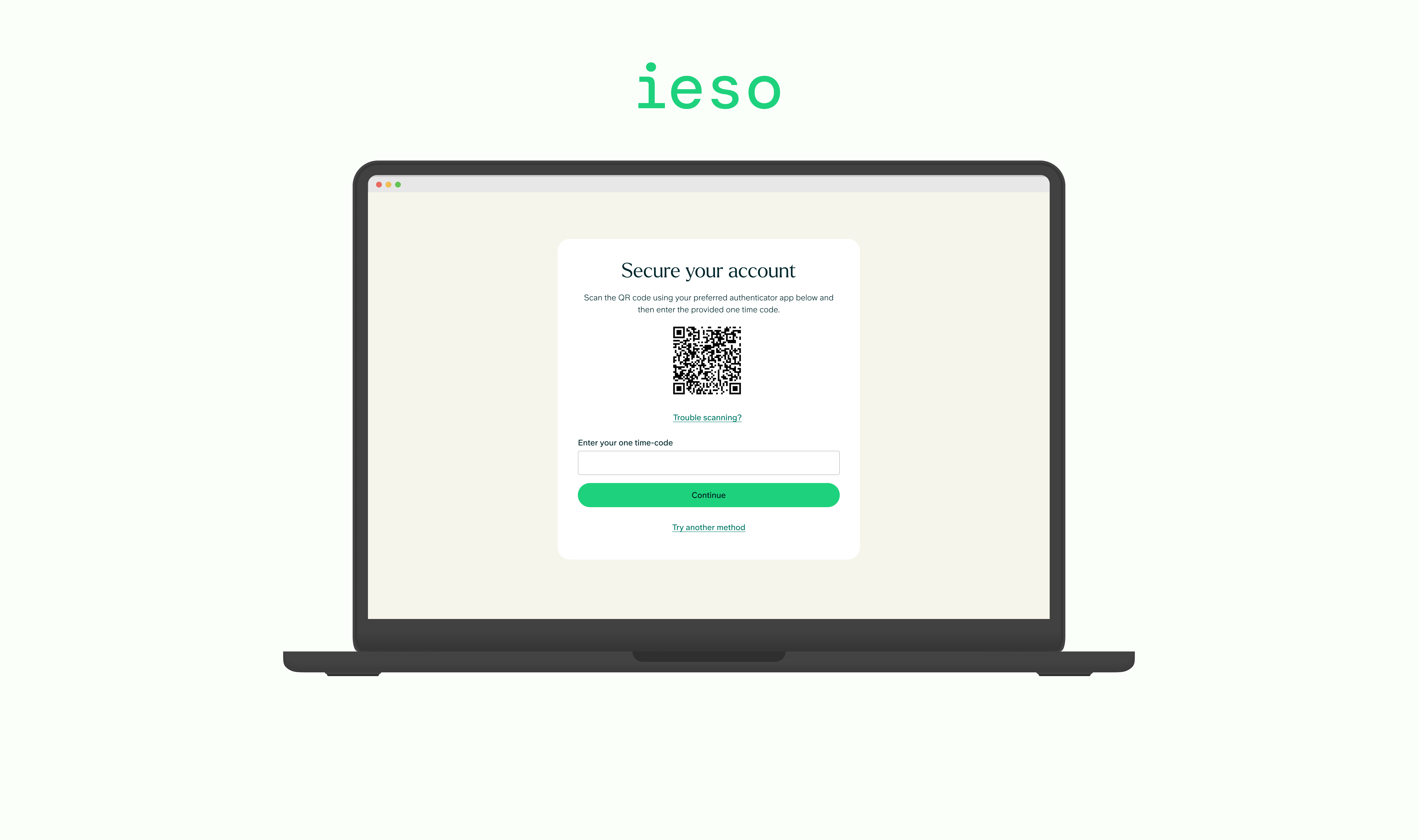
Multifactor authentication (MFA) is an industry standard that elevates security by verifying a user’s identity through multiple methods such as passwords, one-time codes, and biometrics.Given that a significant portion of our patients are contracted with NHS partners, it was imperative for us to reassure patients about the safety of their data. Therefore, adopting MFA during patient onboarding and informing existing users became a crucial step.
hOW mIGHT wE Statement
In the research phase, we embraced a user-centric approach and employed "How Might We" (HMW) statements to frame some of the challenges for both new and existing users
1) New Users
- How might we simplify the onboarding experience for new users, making the adoption of Multi-Factor Authentication (MFA) seamless and user-friendly?
- How might we design intuitive tutorials or guides that demonstrate the straightforward steps involved in setting up and using MFA for new users?
- How might we effectively communicate the security benefits of MFA to new users without overwhelming them with technical jargon?
2) Existing users
- How might we communicate the added layer of protection that MFA provides to existing users, whilst ensuring a smooth transition without disrupting their current experience?
- How might we notify our existing users about MFA in a way that emphasises the user benefits, so that they adopt the enhanced security measure?
OUR aPPROACH
Whilst MFA provides various methods, we discussed the pros and cons of each before ultimately choosing two primary approaches for implementation in our system:
1) Authenticator Apps
- Time-based one-time password (TOTP) generates a unique temporary password that changes at regular intervals based on current time. We adopted Microsoft's and Google’s authenticator apps as they are industry recognised and provide a robust solution.
2) Mobile Verification
- Integrating a mobile verification method offers a simpler and more user-friendly option. Using an SMS or automated call provides an additional layer of security and can be an alternative to users who are less tech savvy.
Journey Mapping
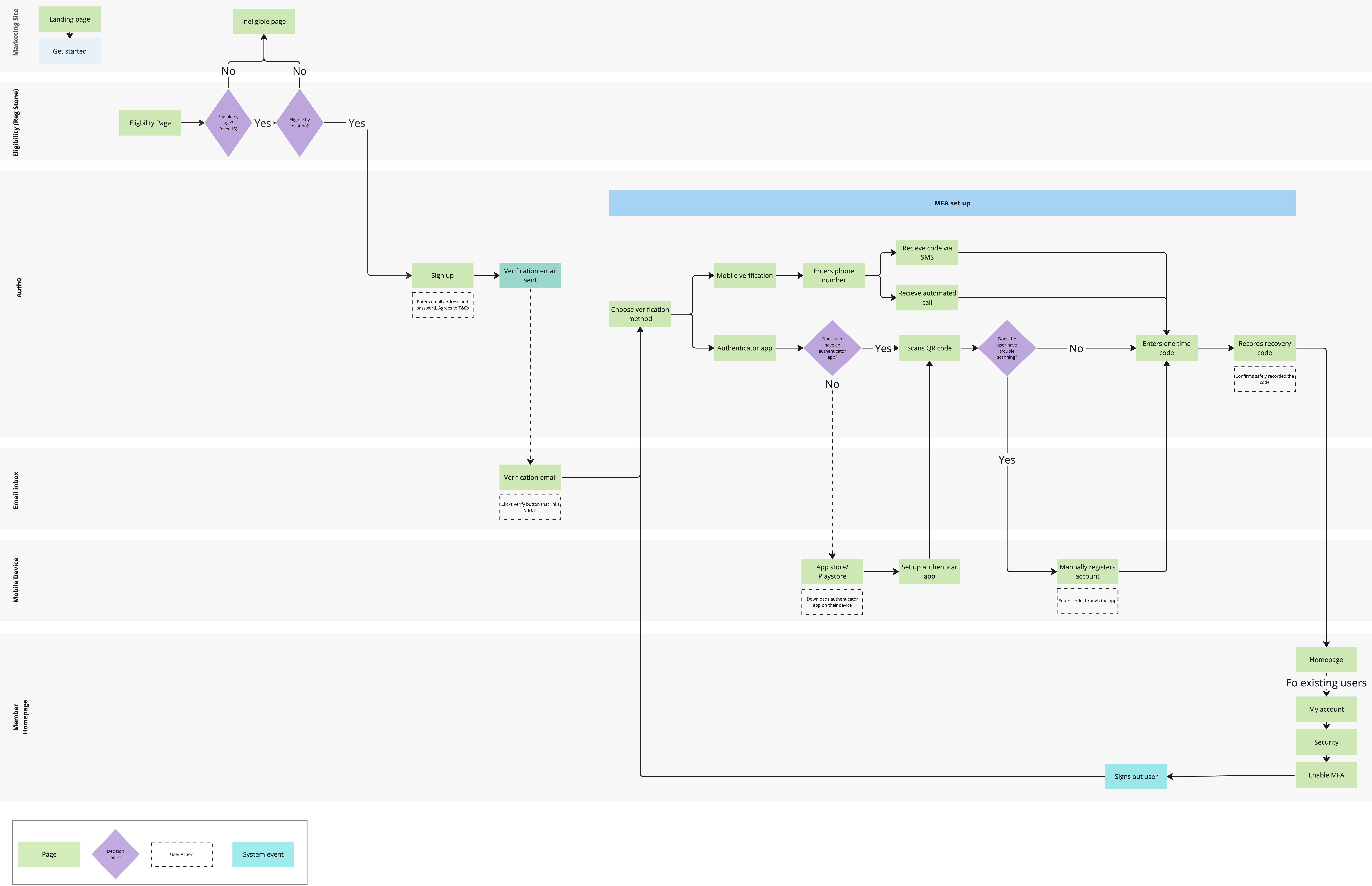
We mapped out a user journey during patient onboarding, streamlining the MFA setup process and allowing existing users to set up MFA within the platform, whilst ensuring a user-friendly experience.
Prototype
See full interactive prototype here
CHallenges & INSIGHTS
While testing Multi-Factor Authentication (MFA) and gathering feedback for both authenticator apps and mobile verification, positive responses were received from new users during onboarding. However, certain usability issues emerged during the MFA setup for existing users.To promote MFA adoption among existing users, we integrated the MFA setup process during sign-in. Unfortunately, this led to frustration as users found the setup more time-consuming, resulting in delays for some attending appointments. To address this challenge, a 'skip for now' option was introduced, allowing users to enroll in MFA at a more convenient time.
Following the implementation of the 'skip for now' option, we observed a slowdown in the adoption rate, with many users bypassing the MFA setup. To mitigate this, an informative banner was introduced on the homepage, outlining the benefits of MFA in alignment with NHS guidelines. At first, giving users a step-by-step guide in the banner resulted in cognitive overload. So, we made it simpler by adding a quick action. Users can click the link, and be directed to the MFA setup page which further streamlined the process. This resulted in up to 70% of users completing MFA adoption.